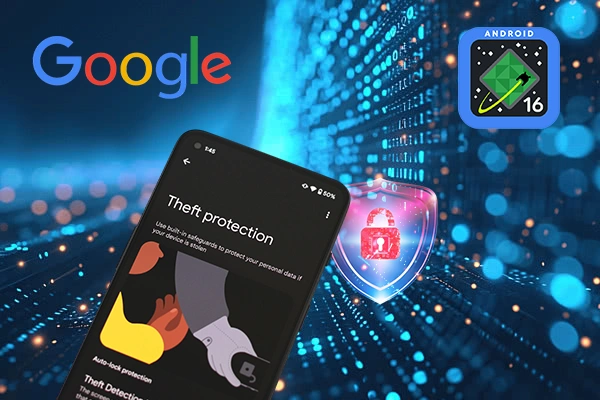
Android 16 adds smarter locks, stronger biometric checks, and faster recovery tools to protect stolen or lost devices.
Google introduced a new set of Android device theft protection features created to make it more difficult for stolen phones to be accessed while maintaining ease of use for owners. Stronger authentication, more intelligent lockouts, and simpler recovery tools are the main features of these improvements, which are being released with Android 16 and newer versions. Failed Authentication Lock is one of the major advancement. After several unsuccessful attempts to log in to apps or system settings, this feature automatically locks the device. Google has added a specific enable or disable option after its launch last year. It can be found in Settings > Security & privacy > Device unlock > Theft protection on Android 16+ on Pixel phones. It is used along with other programs like Offline Device Lock and Theft Detection Lock.
Additionally, Google is improving its security measures against password guessing. Attacks using brute force are now much less effective because the system increases lockout times after incorrect PIN, pattern, or password attempts. Additionally, Android will ignore repeated incorrect guesses, supporting users in avoiding accidental taps or lockouts caused by kids. According to Google, this strengthens Android's brute force screen lock protection by about ten times. A thief used to receive 36 guesses in 15 minutes, but now they only get seven. The increase of Identity Check biometric security on Android 16+ is another major improvement. All apps that use the Android Biometric Prompt now demand biometric confirmation for sensitive actions performed outside of trusted regions. This adds an additional layer of security for financial and personal data and covers third-party banking apps and Google Password Manager.
Before locking a lost device, users can now set an optional security question using Remote Lock android.com/lock on Android 10+. This ensures that the lock can only be activated by its rightful owner. Additionally, Google has made Remote Lock and Android Theft Detection Lock AI standard on new devices in Brazil. Google is developing a future in which Android devices are more secure by default, and better secured with increasingly intelligent and automatic anti-theft recovery technologies.































.webp)

.webp)




.webp)